Voice-first reporting · AI / UX

ProNovos AI

Talk, and the report writes itself.
Role
Design Engineer (Product Design + Front-End Development)
Team
Head of Design + Director of Product
Stack
Figma + React + TypeScript + OpenAI Whisper + Anthropic Claude Sonnet 4.6
Shipped in June 2026

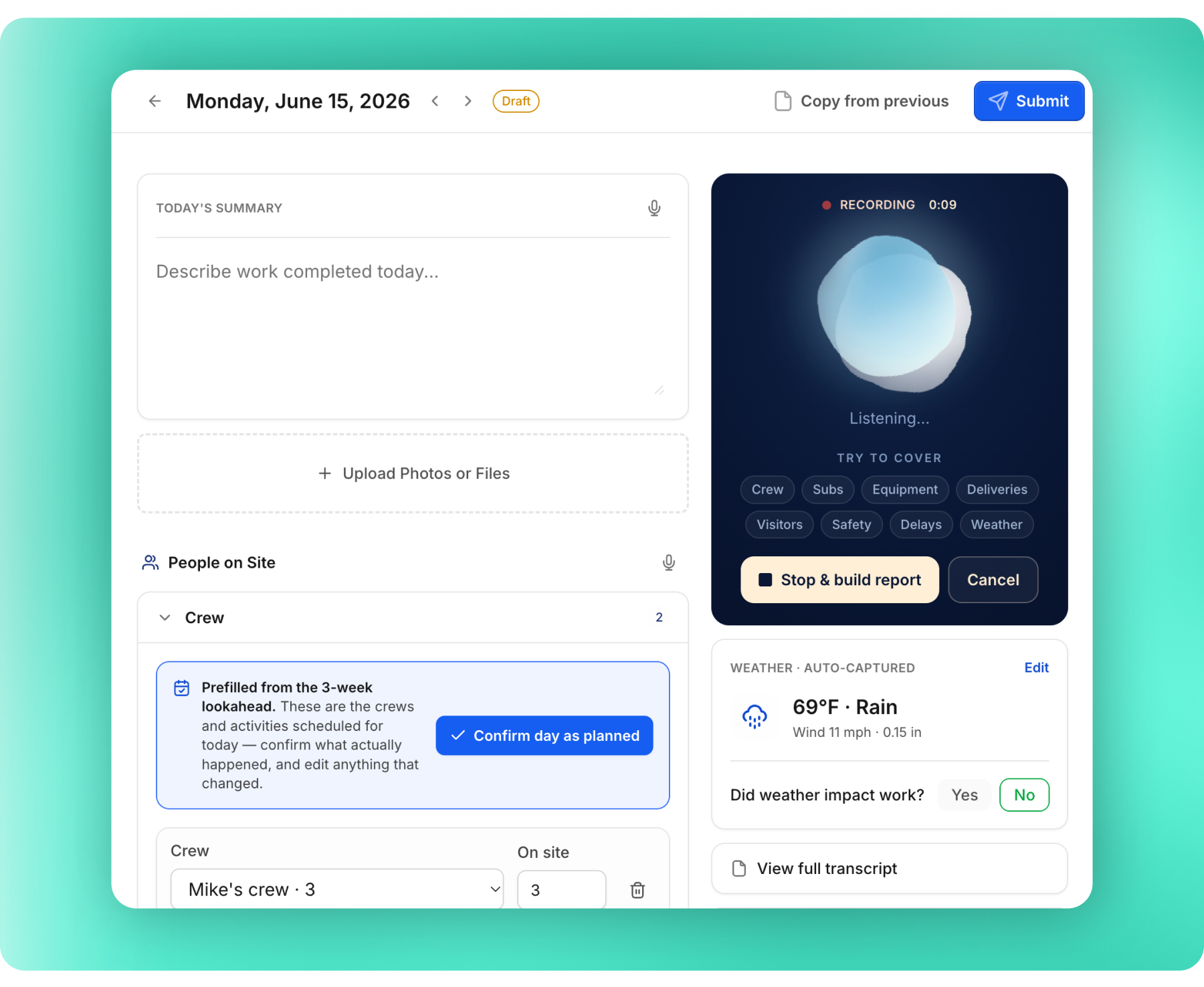
The real flow — hold to talk, watch Nova listen and tick off what you cover, then the structured report assembles itself for review.

Info

Nobody becomes a superintendent because they love typing. The daily report is the most important document on a project and the least likely to get written — so I rebuilt the capture moment. Hold a button and talk; OpenAI Whisper hears it, Anthropic Claude shapes it into the report’s own sections, ready to review before anything is saved.

01 — The problem

Every project runs on the daily report, but nobody wants to write it.

Submitted by the busiest people at the company, at the end of a long shift. As a result, reports either come in late or not at all, which means losing important information that could become a liability issue.
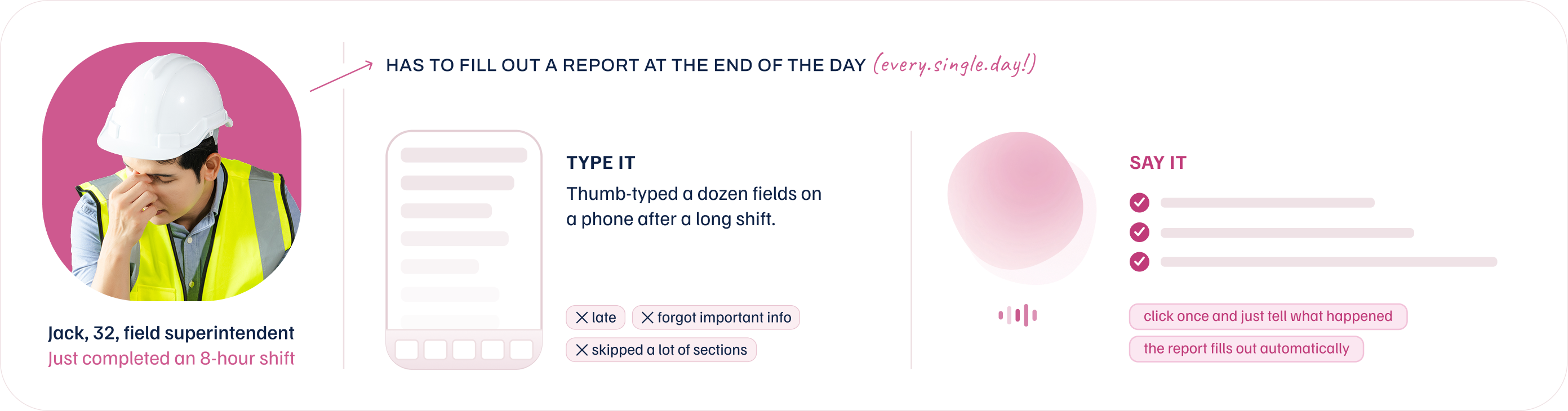
Jack, 32, a field superintendent who just finished an 8-hour shift, has to fill out a report at the end of every day. Type it: thumb-typing a dozen fields on a phone after a long shift means reports are late, miss important info, and skip sections. Say it: click once and just tell what happened — the report fills out automatically.

The goal is to make speaking the fastest way, so a user can just say what happened while they're walking to their car or driving home, click Submit, and forget about it. The report will organize itself into the correct fields.

02 — The capture moment

It checks off what you've covered while you're still talking.

Speech hides its own gaps. A live "try to cover" checklist ticks each section green as you mention it. Two speech engines, because one can’t do both jobs: an on-device recognizer gives instant captions while you talk, and Whisper produces the accurate record afterwards. Fast feedback and a trustworthy transcript are different problems.

Each section turns green the moment you mention it, so you can see what's still missing before you stop talking.

03 — The system

One hold of a button, four moving parts.

01

Press and talk

The mic stream encodes to Opus at a speech-optimized bitrate and buffers into short chunks, so upload starts before the sentence ends. Automatic gain keeps a quiet voice usable next to a running generator, a length cap stops runaway recordings.

Press stop, and the final chunk flushes and the stream closes.

On-device
02

Whisper transcribes

Chunks stream to Whisper, tuned for how job sites actually sound: generators, traffic, wind, ten people talking (shouting) at once. It holds up across the heavy regional and non-native accents that break consumer dictation.

The output is deliberately raw, with every filler word, restart, and side comment kept, and timestamped, so any field downstream can be traced back to the words that produced it.

OpenAI Whisper
03

Claude edits

Claude does the editorial work. Filler and false starts go, grammar gets fixed, rambling speech turns into an edited report summary without inventing a word that wasn't said.

Each statement routes to its place in that day's report (Summary, Safety, Deliveries, Crew, Equipment), constrained by the enabled-sections schema so it never fills a field the form doesn't have. Model tier scales with stakes: a light model for a one-line summary, a stronger one when the extraction is safety-critical.

Anthropic Claude
04

User commits

The result streams into the real form field by field. The user watches the report assemble instead of staring at a spinner. Every value stays editable and carries provenance back to its transcript line, so a name or a number can be checked against what was actually said.

Nothing touches the system of record until a person reads it and presses submit. The model proposes, the human commits.

Human-in-loop
What I owned
Interaction & capture model
Prompt scoping & model tiering
Section & extraction contract
Streaming progress UX
AI-moment visual language
Guardrails & provenance
04 — What didn't work first

The first version got the model backwards.

Two dead ends from the build, each paired with what shipped instead — the wrong turns explain the decisions better than the final screens alone.

A mic bolted onto the form

Talking was an accessory to typing.

Product manager's passArchived
Early Nova editor — a long weather form with a Start Dictation button bolted on top
RedesignLive
Shipped Nova editor — voice-first capture with the form as a review surface Nova fills in

Tried

The thousand-line form stayed the primary surface; dictation sat on top as a hero button.

Why it died

Talking was an accessory to typing. The form still owned the interaction.

Shipped

Voice became the input, the form became the output. That inversion is the product.

Metrics that counted instead of decided

Nobody decides anything with a total.

Product manager's passArchived
Early Nova dashboard — vanity count tiles (this month, drafts, submitted) above a week view
RedesignLive
Shipped Nova dashboard — this week, on-time rate, missed days, and open incidents with a week view

Tried

Vanity counts: totals of reports filed, drafts pending. Tells users nothing about what's important.

Why it died

Nobody decides anything with a total. A PM checking in before a field call only gets meaningless numbers.

Shipped

Three decisions, not three counts: is coverage slipping, is the habit holding, what needs me now.

05 — The judgment calls

What the AI is not allowed to do.

Voice input in a system of record only works if people trust what lands in the fields. Three rules keep it honest.

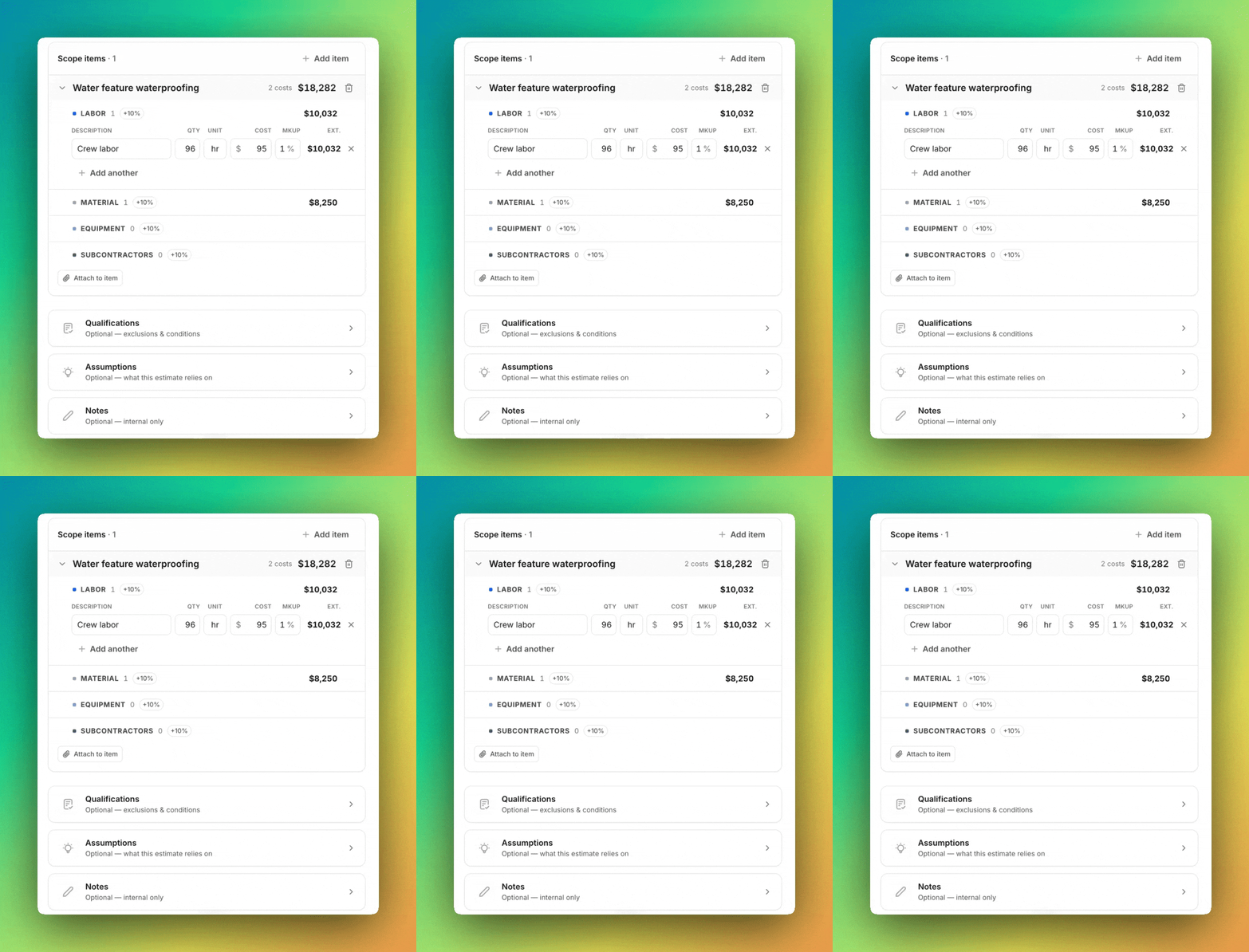
Nova estimate editor — dollar amounts stay in editable cost fields for a human to confirm, never silently committed
CALL 01

Never silently fill a number

Whisper mishears money and codes. So transcription is proposed, never committed — it lands in an editable field for a human to confirm before it becomes part of the record.

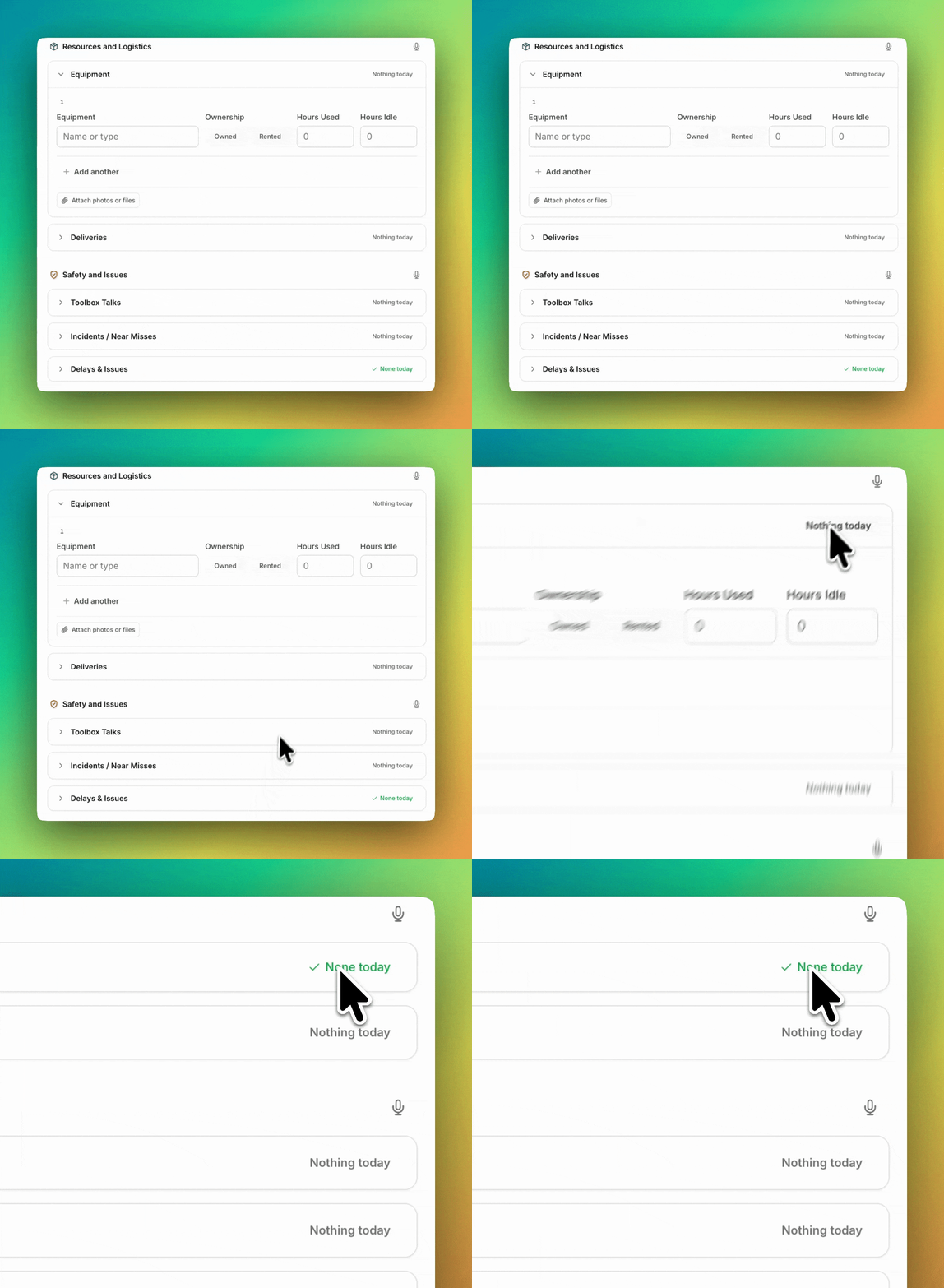
Nova report — sections marked 'Nothing today' only after a spoken negation is verified in the transcript
CALL 02

"Nothing today" must be actually said

Marking a section "none" is an audit-worthy claim. A verification step confirms the transcript holds a negation near a section keyword before stamping it — false affirmatives get dropped.

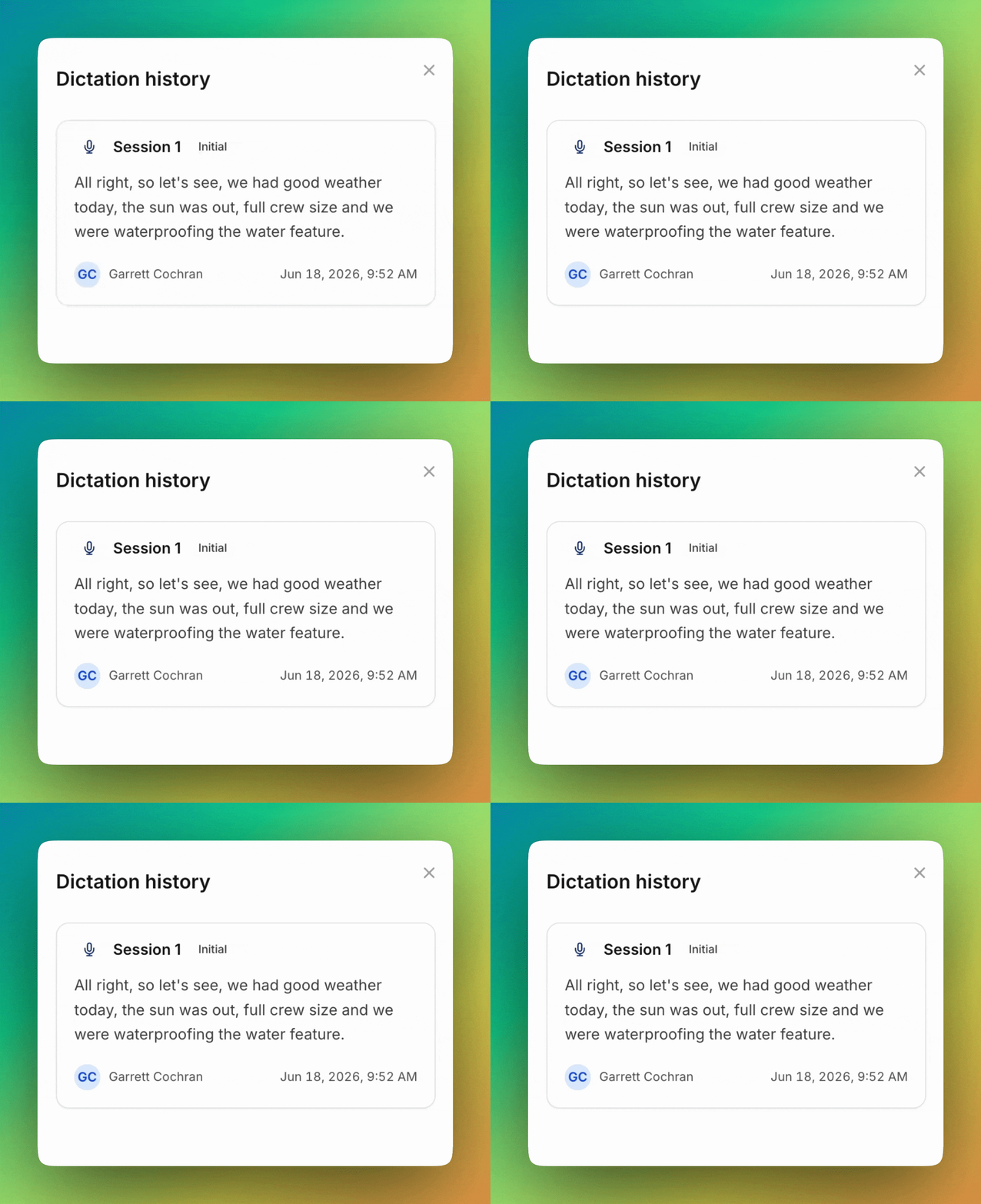
Nova dictation history — each session kept with speaker, timestamp, and verbatim transcript for provenance
CALL 03

Keep who said what, when

Each recording is its own timestamped session — speaker, time, verbatim transcript, audio — instead of one overwritten blob. In a document read in a dispute, provenance is the feature.

07 — more work